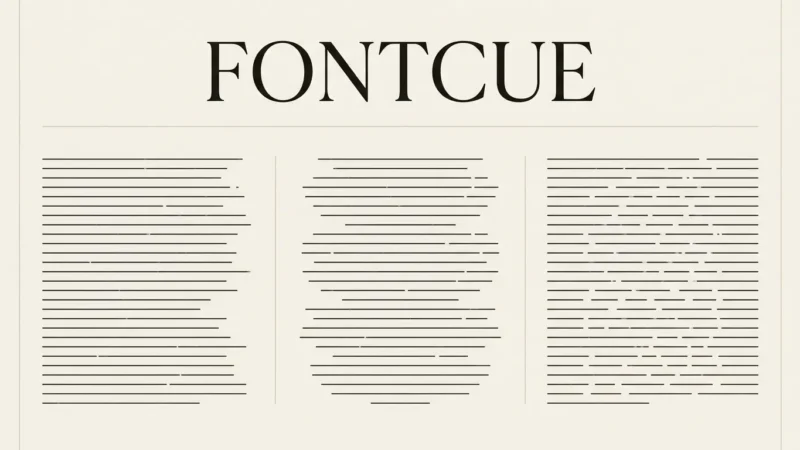
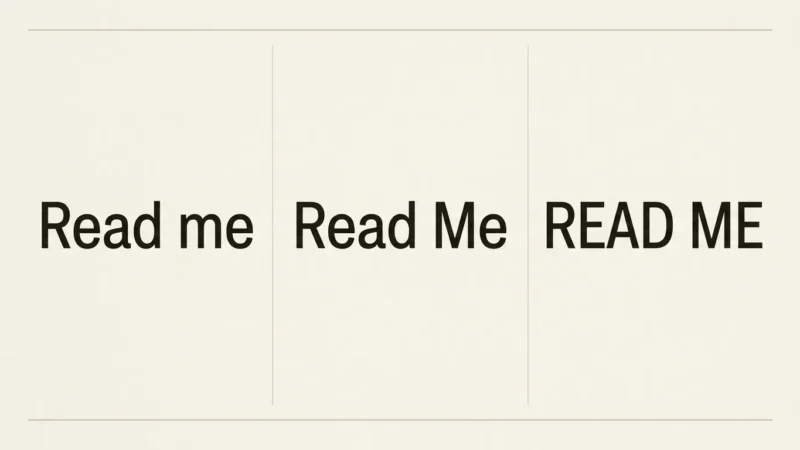
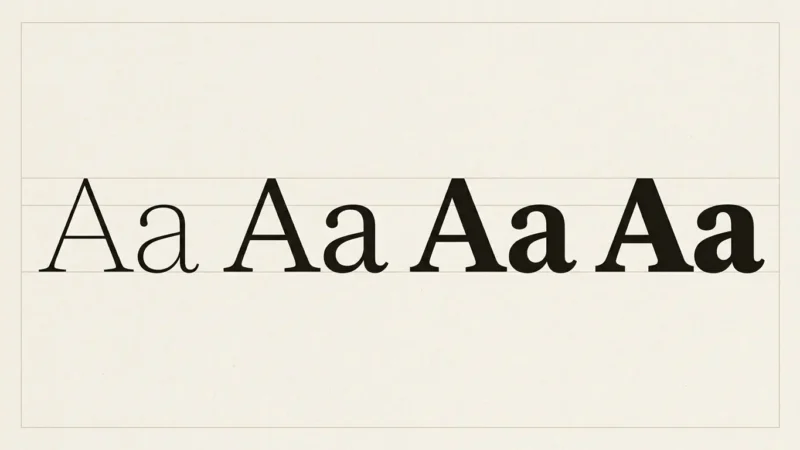
Cute fonts are easy to find and surprisingly hard to use well. A font that looks adorable in a preview image can turn into a smudge at sticker size, fall apart in a planner’s small boxes, or make a kids’ worksheet harder to read than a plain sans would. What separates the good ones is mostly practical: stroke weight, how open the letters are, and whether the file gives you the extras you were promised.
Affiliate Disclosure: If you buy through links on our site, we may earn a small affiliate commission to help support the blog – at no extra cost to you. It never influences our product selection process. Thank you!
- 7 Best Cute Fonts for Stickers, Planners and Kids Projects in 2026
- Our top cute font picks at a glance
- Compare the 7 cute fonts
- How we chose these fonts
- The 7 best cute fonts in 2026
- 1. Groovy Cute: best overall for stickers and posters
- 2. Thick Jungle: best for birthday invitations and school designs
- 3. Stylish Handwriting: best for planner pages and teacher resources
- 4. Stay Bold: best cute handwriting font for labels and stickers
- 5. Dandelion Garden Duo: best for quotes, mugs and tote bags
- 6. Kindergarten School: best for preschool crafts and classroom labels
- 7. Super Cute Font: best for glossy stickers and name tags
- What makes a cute font work
- Look at the line ends and the open spaces
- Match the weight to the size
- Think about children’s reading
- Check what is in the font file
- Treat color fonts with care
- How to reach alternate glyphs in a PUA font
- Which cute font for which project
- Free and paid cute fonts compared
- Check the license before you sell
- Common mistakes with cute fonts
- Frequently asked questions
- Pick one and test it
Below are seven cute fonts from Creative Fabrica, each chosen for a different job: loud sticker titles, birthday invitations, planner pages, chunky handwriting for labels, friendly lettering for mugs, preschool materials, and glossy color stickers. They are downloads you install on your device, not fonts that ship with an app. If you want the short answer, Groovy Cute is our top pick overall. After the list you will find a buyer’s guide, steps for reaching alternate glyphs, and a license check for anyone who sells what they make.
Our top cute font picks at a glance
- Best overall: Groovy Cute. Plump, high-impact letters with the most reviews of any font in our pool.
- Best for planners: Stylish Handwriting. A bold display face paired with a handwriting script, with OpenType swashes.
- Best for kids’ projects: Kindergarten School. Ruled-line style handwriting made for preschool crafts and classroom labels.
- Best for stickers: Super Cute Font. A glossy, rounded color font that works as a single bold word.
Compare the 7 cute fonts
| Font | Style | Best use | Main advantage | Link |
|---|---|---|---|---|
| Groovy Cute | Plump display | Stickers, posters, social posts | Instantly recognizable, big review count | View font |
| Thick Jungle | Mixed-case display | Birthday invitations, school designs | Upper and lower case can be mixed | View font |
| Stylish Handwriting | Display and script duo | Planner pages, teacher resources | OpenType swashes and stylistic sets | View font |
| Stay Bold | Bold monoline handwriting | Labels, stickers, school sheets | Even, rounded strokes | View font |
| Dandelion Garden Duo | Sans and script pair | Quotes, mugs, tote bags | Two fonts that match, PUA glyphs | View font |
| Kindergarten School | Preschool handwriting | Worksheets, classroom labels | Simple, kid-style shapes | View font |
| Super Cute Font | Glossy color font | Stickers, name tags | Rounded, shiny look built in | View font |
How we chose these fonts
We started with the 46 fonts in our Creative Fabrica “cute font” collection and fixed the criteria before judging any of them. In order of weight: fit with stickers, planners and kids’ projects; traits visible in the listing preview (stroke weight, rounded ends, how simple the shapes are); a distinct job for each pick; features the listing documents; and last, favorites and review counts as tie-breakers. Seasonal fonts and pure bubble-letter fonts were set aside, the first because these projects run all year, the second because they belong in a separate list.
Our evidence is each seller’s listing text and a look at its preview image. Product pages are not open to automated reading, and the pool has only review counts, not review text, so we had no owner experience to draw on. Almost every rating is 5.0 across between one and 21 reviews, which says little. We did not download, install, print or cut any of these fonts. Treat the notes below as a reading of the letterforms and test a font on your own words before a big project. Last updated October 2026.
The 7 best cute fonts in 2026
1. Groovy Cute: best overall for stickers and posters

Groovy Cute suits stickers because its letters are big enough to read at a glance. The preview shows fat, rounded letters in pastel fills with an outline, spaced like a title card. The listing calls it a display font “with a great punch” and suggests comic book style, online games, cards, shirts, posters, movie titles and social posts.
It also has the strongest record in our pool: 2,651 favorites, the second highest of the 46 fonts we checked, and a 5.0 rating across 21 reviews, more than any other font here. One 5.0 on a single review proves little, but 21 of them is a better sign.
Use it for one to three words at a time: a sticker label, a poster headline, a title on a social graphic. The same weight that makes it loud works against it in sentences. Set a whole paragraph in it and the outlines crowd together.
2. Thick Jungle: best for birthday invitations and school designs

Thick Jungle comes with a trick the listing spells out: you can mix uppercase and lowercase in one word to make it look even cuter. In the preview the letters are chunky and slightly wobbly, with small decorative marks sprinkled around them, so a word set in alternating caps looks hand-built rather than typed.
The seller points to school designs, birthday invitations, summer designs, holiday projects, shirts, crafting, stickers and sublimation. It is popular too, with 2,193 favorites, the third most saved of the 46, and a 5.0 across 6 reviews. For invitations, pair it with a calmer body font, as in our guide to birthday and party fonts.
Its drawback is the same as its charm. The small ornaments and uneven shapes make it a heading font, and the listing gives no details on character sets or file formats, so check what the download includes before you plan a multi-language project.
3. Stylish Handwriting: best for planner pages and teacher resources

Planner pages need two voices: a bold one for headers and a quieter one for the notes underneath. Stylish Handwriting is sold as that pair. The listing describes a modern, bold display font together with an authentic handwriting script that has stylistic swashes, and it names planners, Cricut users, SVG designers and teachers among its uses.
The listing also says the set has full OpenType support, with swashes and stylistic sets, plus numbers and punctuation. Numbers matter in a planner, since dates and times fill every page. The set has 411 favorites and one review.
The catch is the swashes. OpenType alternates only show up in software that exposes those features, and some simpler design apps do not, so test the swashes in the program you actually use. For more handwriting ideas beyond this list, see our handwritten fonts for journals and notes.
4. Stay Bold: best cute handwriting font for labels and stickers

Where Groovy Cute shouts, Stay Bold talks. It is a monoline handwriting font, which means every stroke has about the same thickness, and in the preview the lowercase letters are round, loose and easy to read. The listing calls it bold, cool and playful and suggests back-to-school designs, kids’ designs, birthday invitations, summer designs, shirts, crafting, stickers and sublimation.
That even stroke should help on labels and small stickers: with no thin hairlines, the letters are less likely to fill in when shrunk, and it is the pick to try first if you plan to cut shapes with a craft machine (our Cricut fonts workflow covers the steps). It has 191 favorites and a single review.
It is also the plainest font on this list. If you want swashes or decoration, look at picks 3 and 5.
5. Dandelion Garden Duo: best for quotes, mugs and tote bags

Dandelion Garden Duo has 689 favorites and a 5.0 average across 9 reviews, one of the better records in the pool, and the idea behind it is simple: two fonts that match. The preview shows a bold handwritten sans for the main word and a looping script for the second, with dandelion drawings alongside.
Pairing two fonts is where many cute designs go wrong, and a set drawn together removes that guesswork. The seller recommends it for lettering, quotes, logos, shirts, mugs, tote bags, cards, banners and social media, and calls the feel “fresh and friendly.”
The listing says the font is PUA encoded, so its extra glyphs and ligatures can be reached through a character map. That works, but it is an extra step compared to typing an alternate; the steps are below. The script’s thin flourish in the preview is the part to watch at small sizes.
6. Kindergarten School: best for preschool crafts and classroom labels

The preview image does most of the explaining. Kindergarten School is shown on ruled lines with a pangram underneath, the way a child’s practice sheet looks, and the letters are simple, upright and loose. The listing names preschool crafts, kids’ art and school activities.
It has 160 favorites and one review, so the evidence is thin. Its clear job is classroom labels, name cards, activity sheets and craft titles where a kid-style hand matches the audience. For teaching materials, read our guide to fonts for kids’ worksheets first, because size and spacing matter as much as the font.
The listing copy is mostly marketing and says nothing about the shape of individual letters, so we cannot say how a lowercase a or g is drawn. If your worksheet teaches letter shapes, check the preview and test print a sample before you commit.
7. Super Cute Font: best for glossy stickers and name tags

The preview is labeled “OTF – PNG” and “color bitmap font,” which marks it as a color font, with the shine already painted into the letters. The listing calls it a sweet color font with charming, rounded letters, and the preview shows puffy pink letters with highlights, like balloon lettering.
That makes it a quick win for name tags, sticker words and party signs, where one glossy word carries the design. With 418 favorites it is well saved for a font with a single review.
The trade-off is compatibility. Color fonts of this type are not displayed by every program, and a font that looks glossy in the preview may show up flat in an app that does not support color fonts. Try it in your design tool before buying, and keep it to a word or two.
What makes a cute font work
The competing guides we read describe cute fonts with the same few traits: rounded line ends, soft corners, open letter shapes, fairly even strokes and a little irregularity, such as a bouncing baseline. Those are the traits you are shopping for. For layout and color advice rather than font picks, our guide to cute, girly and bubble alphabet styles goes further.

Look at the line ends and the open spaces
Rounded line ends make a font feel friendly, but open spaces inside letters (the holes in a, e and g) keep it readable. A font with soft ends and tiny holes fills in when you shrink it. Compare the pick’s preview at the size you plan to use rather than the full-size sample.
Match the weight to the size
Heavy fonts such as Groovy Cute work for a word or two. Monoline fonts such as Stay Bold hold up in a label. Thin monoline fonts look elegant on screen and disappear on a sticker. If a design will be small, choose weight first and personality second.
Think about children’s reading
Hard evidence on the best typefaces for beginner readers is thin. One 2009 study of children aged 7 to 9, published in the Journal of Research in Reading, found that type with a larger x-height was read and checked about 9% faster than a smaller size. Size is therefore a safe first lever. Advice about specific letter shapes is mostly convention, so test a sample with a real child.
Check what is in the font file
Listings differ in what they promise: numbers, punctuation, alternates, languages. A planner needs numbers. A name tag may need accented letters. If the listing does not mention something you need, assume it is missing until you confirm it on the product page.
Treat color fonts with care
A color font stores its colors inside the file. That is convenient when it works and confusing when an app shows plain black letters instead. Test in your design software and keep a plain backup font ready.
How to reach alternate glyphs in a PUA font
Some listings, including Dandelion Garden Duo, say a font is “PUA encoded.” That means its extra shapes sit in Unicode’s Private Use Area, a block that Unicode leaves unassigned so font makers can define their own characters. Because those characters have no standard meaning, you cannot type them from the keyboard in the usual way. Here is the general route.

Install the font, open a character map, copy the glyph and paste it into your design.
- Step 1: Install the font on your device
Download the file from your purchase, install it, and restart the design app so the font appears in its list.
- Step 2: Open a character map
On Windows, use Character Map. On a Mac, use Font Book. Choose the installed font so you see every glyph it contains, including the swashes and ligatures.
- Step 3: Copy the glyph you want
Select the alternate letter or ornament and copy it. A free glyph picker tool does the same job if you prefer one.
- Step 4: Paste it into your design
Paste the glyph into your text box with the same font selected. If you see a box or a different shape, the app may not support the character, so try another program for that piece.
Which cute font for which project
| Project | Start with | Why | Pair it with |
|---|---|---|---|
| Sticker sheet with short words | Groovy Cute or Super Cute Font | Heavy shapes survive small sizes | Nothing; let the word stand alone |
| Weekly planner | Stylish Handwriting | Headers and notes in one set, numbers included | A quiet sans for dense text |
| Name labels and tags | Stay Bold | Even strokes stay readable when small | A plain sans for extra details |
| Birthday invitation | Thick Jungle | Mixed case adds playfulness | A calm serif or sans for the details |
| Preschool worksheet or classroom poster | Kindergarten School | Kid-style hand fits the audience | A larger size than you think |
| Mug or tote bag quote | Dandelion Garden Duo | Matching sans and script pair | Its own second font |
Free and paid cute fonts compared
Plenty of free cute fonts exist, and the competing lists we read lean on them. The difference is mostly what comes with the file and what you are allowed to do with it.
| Question | Free fonts | Marketplace fonts |
|---|---|---|
| Cost | No charge for the file | A purchase or a subscription |
| Terms | Vary: some allow business use, others personal use only | Set by the marketplace license; read it before selling |
| Extras | Often a single style | Duos, alternates and color versions are common |
| Best for | Personal planners, one-off crafts | Products you sell, polished sticker sets |
If you only need a font for your own planner, a free one may be all you need. The picks above make more sense when you want a matched pair, extra glyphs or terms you can read in one place.
Check the license before you sell
If you sell stickers, printables or planners, the license matters as much as the look. For single purchases, Creative Fabrica’s published Single Sales License (version 1.6 when we read it) allows commercial use of fonts, including text on physical products, and says fonts can be used for print on demand as long as the original font file cannot be extracted. It does not allow you to resell, share or redistribute the font files, upload font files to print-on-demand sites, or install or embed them on third-party platforms or servers. For digital products, it says the final design must be flattened so buyers cannot pull out the original elements.

Subscription downloads follow a different license, and we could not read it for this article. The license shown on each product page is the one that applies to your download. Our guide to checking font licenses for commercial use walks through the general routine.
Common mistakes with cute fonts
- Setting paragraphs in a display font. Use the cute font for the headline and a plain font for the rest.
- Shrinking thin fonts for stickers. Pick a heavier font or enlarge the text until the strokes stay solid.
- Mixing two cute fonts. Choose one cute font and pair it with a neutral partner, or use a duo made to match.
- Trusting the preview for everything. Previews show a designer’s best lettering. Type your real words and check them.
- Forgetting numbers and punctuation. If you need dates, check the listing before buying.
- Skipping the license. Read it before the first sale, not after the first complaint.
Frequently asked questions
Usually rounded line ends, soft corners, open letter shapes and fairly even strokes, sometimes with a bouncing baseline or small decorations. These are common traits, not a formal definition.
Look for numbers, a readable handwriting style and a bold partner for headers. Stylish Handwriting is our planner pick for that reason, and Stay Bold is a plainer option for everyday labels.
Thick, simple and well-spaced letters are easier to cut than thin or crowded ones. Stay Bold is the most cut-friendly shape in this list based on its preview, but we did not test any of them, so make a test cut first.
Kawaii refers to the Japanese culture of cuteness, and kawaii fonts lean harder into bubbly, childlike shapes. Cute is the wider label, and every font here sits under it.
Yes, with care. Pick simple shapes, set the text large, and test a printout with a child. Our guide to rounded fonts also covers friendly sans-serif options.
Selling is usually where licenses matter, so read the license that comes with your download. The section above covers the main points of Creative Fabrica's Single Sales License.
Pick one and test it
Start with the font that fits the project you make most often. For stickers, try Groovy Cute or Super Cute Font; for planners, Stylish Handwriting; for everyday labels, Stay Bold. Type your own words in the preview on the product page, check the license, and print or cut a small test before you commit to a full sheet.