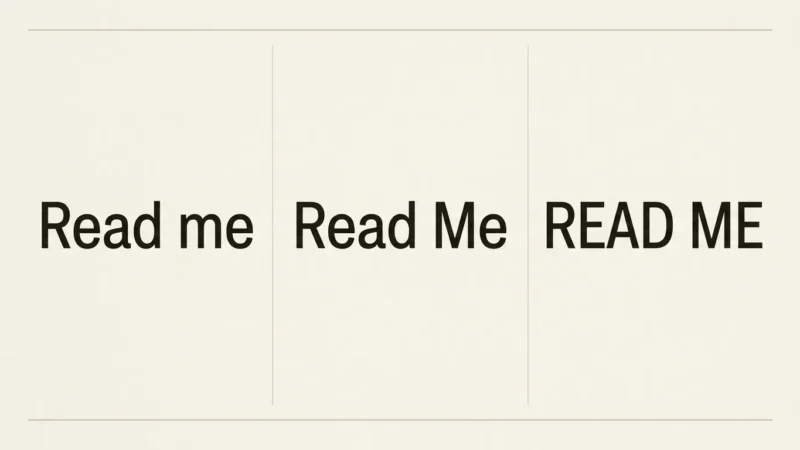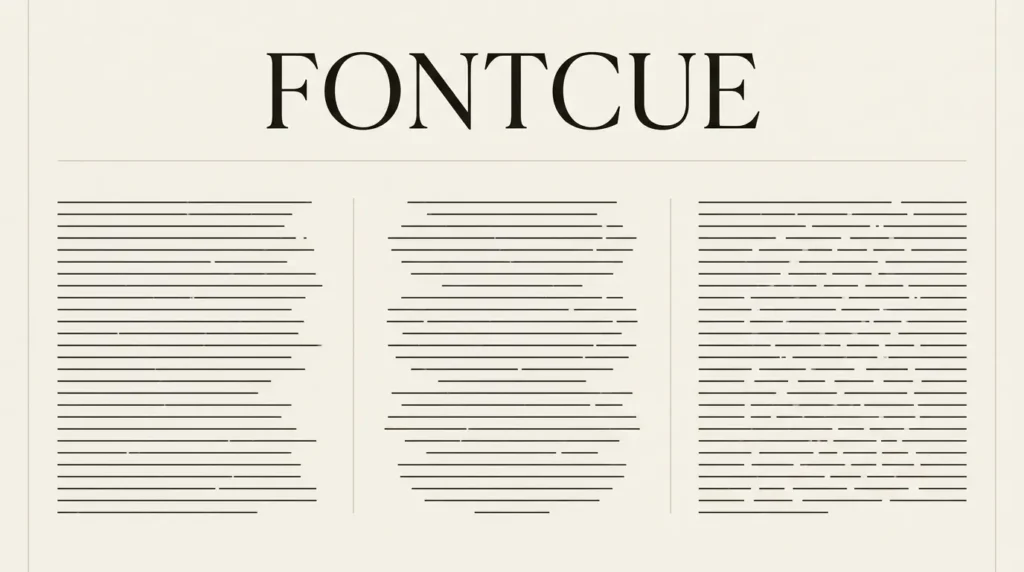
For an English article, start-aligned body text is a useful default: each line begins from a consistent edge. Centered text can suit a short invitation or display heading. Justified text needs closer checking because it distributes space to align both sides of a block. Choose the alignment for the reading task and review the actual words at the final width.
Affiliate Disclosure: If you buy through links on our site, we may earn a small affiliate commission to help support the blog – at no extra cost to you. It never influences our product selection process. Thank you!
- Text Alignment for Readability: Left, Centered or Justified?
- What each alignment changes
- Give body text a consistent starting edge
- Use centered text for passages you can inspect as a group
- Inspect justified text where the column is narrowest
- Aligning words is different from positioning their box
- Follow the language’s reading direction
- Run a small alignment review
- Frequently asked questions
Hold font size, weight, line height, and wording constant while comparing alignment. A narrow centered heading and a wide justified paragraph involve several changes at once. Change alignment alone in the first comparison.
What each alignment changes
MDN’s text-align documentation defines the familiar left, right, center, and justify options. It also describes start and end, which follow the direction of the content. Start aligns to the left in left-to-right text and to the right in right-to-left text.
| Alignment | What to inspect | Useful first comparison |
|---|---|---|
| Start aligned | Stable line beginnings and the shape of the opposite edge | A complete article paragraph |
| Centered | Changing line beginnings and wrapped details | A short heading or invitation block |
| Justified | Word spacing and unusually open lines | The narrowest intended text column |
| End aligned | Its relationship with nearby text and reading direction | A short secondary item or an appropriate language context |
Use these tasks to compare alignments before assigning them to text roles. One design can use different alignments for distinct text roles.
Give body text a consistent starting edge
For left-to-right paragraphs, left alignment gives each new line a predictable starting position. The U.S. Web Design System typography guidance recommends consistent left alignment for most website text. It treats alignment as one part of a readable text system, alongside the font and other settings.
Use a paragraph that wraps across several lines. Read beyond the first sentence and notice how readily you move between lines. Then compare a different alignment without changing the text box or type size.
The uneven edge on the opposite side is not automatically a fault. If one line is awkwardly short, review the wording and column width before inserting manual line breaks throughout the paragraph. A change made to one desktop line can create a new problem at another width.
Keep paragraphs aligned consistently within a reading sequence. If a quotation or callout uses another treatment, make its role clear through the content and grouping, not through arbitrary alternating alignment.

Use centered text for passages you can inspect as a group
A brief invitation block is a useful centered-text exercise: event name, date, venue, and one short instruction. Set the complete block, then compare whether the details form understandable groups.
Pay attention when a detail wraps. The second line of a venue name may become visually separated from the first, or a long instruction may create a broad line followed by a tiny one. Fix the actual grouping or wording before reducing the entire block.
For a web heading, compare its longest realistic version. A short title can look balanced while a longer title becomes a stack of uneven lines. Check both before making centered headings a universal component rule.
If readers must follow several paragraphs, compare start alignment as well. The choice should survive reading the passage, not merely make a pleasing rectangle when viewed from a distance.
Inspect justified text where the column is narrowest
Justification spreads text across the available line width. When a line contains only a few words, the visible spaces may become conspicuous. Compare several paragraphs, including long words and short final lines, rather than selecting a sample that happens to justify neatly.
Look for patterns of large gaps down the block. If they draw your attention away from the wording, compare a start-aligned version. Review the delivered result even if the layout is modeled on a carefully typeset book.
The WCAG Visual Presentation criterion, 1.4.8, is Level AAA and includes a mechanism for achieving non-justified blocks of text among its requirements. This is not a blanket statement that every justified paragraph violates Level AA. Keep the level and scope accurate when documenting an accessibility decision.
Check the final line separately. MDN documents text-align-last separately from general text alignment. If an unusually short last line is stretched, inspect that setting and the actual content. Do not add literal extra spaces as a repair.

Aligning words is different from positioning their box
A centered text box can contain left-aligned words. A left-positioned box can contain centered words. Separate those two choices when someone asks to “center the paragraph.” They may mean the placement of the block rather than the alignment of each line.
In a card, keep the text box in its current position and compare its internal alignment first. Then, if needed, move the whole box without changing the line alignment. Record whether you changed the box position or its internal text alignment.
Use alignment guides or layout controls instead of typing spaces before the text. Leading spaces are content, and their behavior can change when the wording wraps or moves into a different application.
Name both choices in the handoff when they matter: for example, “a centered content column containing start-aligned body text.” That is clearer than asking a developer or editor to guess which kind of centering the mockup implies.

Follow the language’s reading direction
Do not make left alignment a rule for every language. Start and end are useful concepts precisely because the starting side depends on direction. Review the actual language content with someone who can judge it.
A multilingual layout also needs examples that contain real names, punctuation, and numerals. An English placeholder does not show how another writing system will wrap or how mixed-direction content will behave.
If the layout contains a code, price, or identifier next to a sentence, check that relationship in the delivered output. Keep the underlying text correct and use appropriate layout and direction controls rather than inserting a collection of spaces.
For this article’s English examples, start means the left edge. That local convention is sufficient for the comparison; it should not be exported as a universal instruction for all translations.
Run a small alignment review
Choose a real paragraph, a long heading, and a short multi-line information block.
Keep the font and spacing settings fixed while comparing alignments.
Read each block at its intended size, including several line transitions.
Inspect word gaps and short last lines in the narrowest layout.
Check whether a positioning request concerns the whole box or the text inside it.
Save the chosen convention by content role and language context.
If every alignment feels crowded, revisit the amount of text and the space available. A narrow card containing too much information may need shorter wording or a different layout before an alignment change can help.
For related design decisions, see the hierarchy checklist, the wedding stationery guide, and the website and UI font guide.
Frequently asked questions
No. A short centered heading or invitation block can suit its purpose. Compare the actual passage, especially when it wraps. A long paragraph requires a different review from a two-word title.
No. WCAG’s non-justified-block provision appears within the Level AAA Visual Presentation criterion. Describe the particular requirement and conformance level, and review the rest of the page rather than making a blanket claim.
Yes. The placement of a content box and the alignment of text inside it are separate layout choices. Specify both in the design handoff.
Use them only when a deliberate break belongs to the content or controlled display design. Check every intended width. Manual breaks throughout ordinary responsive paragraphs can create awkward results when the viewport changes.