

Font design ideas usually get shared as inspiration boards, dozens of pretty screenshots with no explanation of why any of them work. This guide skips the mood board and covers the actual structure behind good display typography: scale, grid, and asymmetry, how to read a type specimen so you’re not comparing fonts by vibe alone, and a 4-point checklist before locking in a final display font.
Affiliate Disclosure: If you buy through links on our site, we may earn a small affiliate commission to help support the blog – at no extra cost to you. It never influences our product selection process. Thank you!
Get the Display Font Checklist — free download.
Download ChecklistDesign ideas start with structure, not decoration
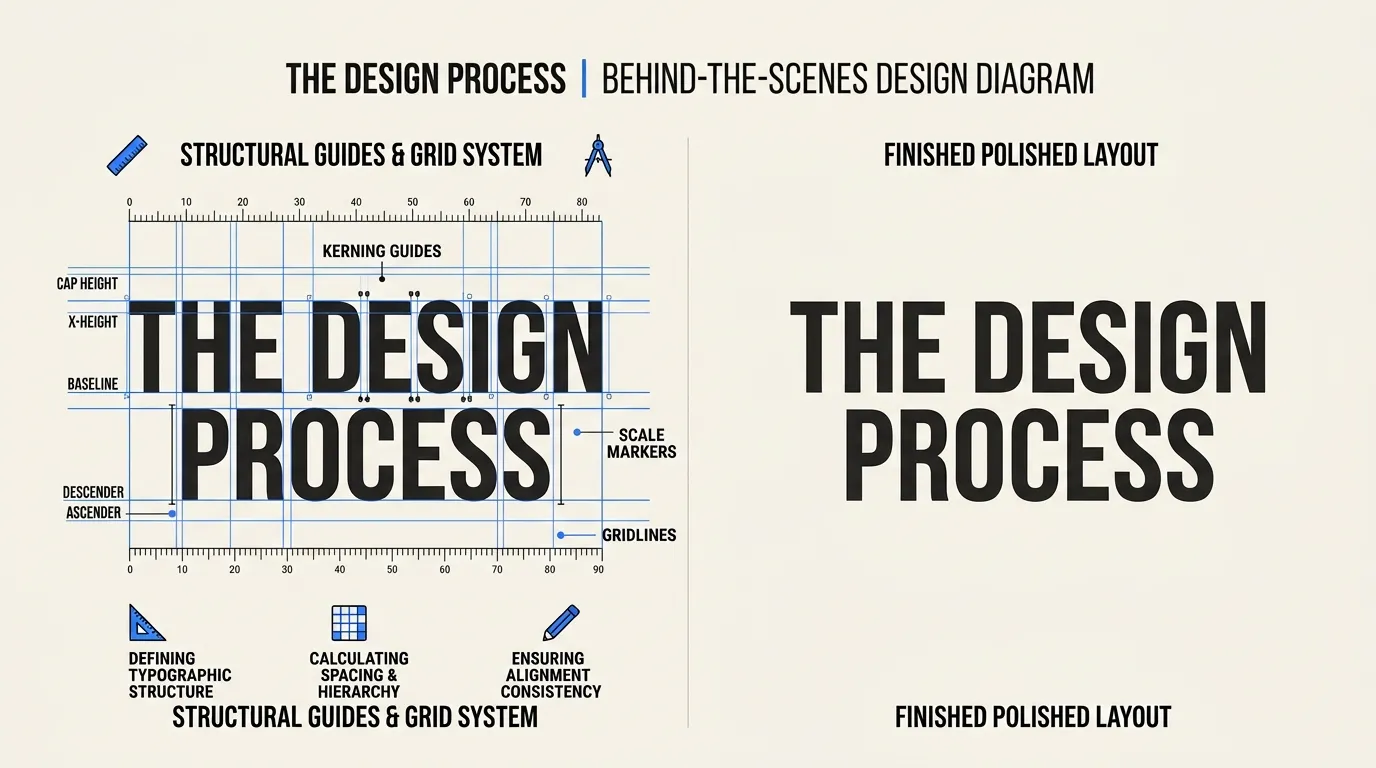
Most typography inspiration boards show off the wrong layer of a design. They highlight the font itself, an unusual letterform, a striking headline, when the thing actually holding the layout together is almost always something structural underneath it: how the type is scaled, how it sits on a grid, and how much the layout leans into asymmetry versus a centered, safe arrangement.
Swap the font in most strong typographic designs for a different one and the layout usually still works, because the bones were doing the job, not the specific letterforms. That’s a useful test to run on anything you’re drawn to. If a design falls apart the moment you imagine a different font in the same spot, the font was carrying weight the structure should have carried instead.
This matters because it changes where you should be looking for inspiration. Instead of collecting fonts, collect structures: how far the headline sits from the body copy, how much the layout breaks from a centered grid, how much negative space surrounds the type. Fonts are the easiest layer to copy and the least useful one to study.
I run this test on my own moodboard folders occasionally, and it’s humbling. A good chunk of what I’ve saved over the years turns out to be one striking font doing all the work, propped up by a layout that would fall over without it. The pieces that actually hold up under the swap test tend to be the ones I keep coming back to for real projects.
Font design ideas for posters and editorial layouts

Scale · grid · asymmetry
A large-scale approach puts one word or phrase at a dramatic size, big enough that it’s the only thing the eye can register first, with everything else reduced to a supporting role. This works well when a single message needs to dominate, an event name, a headline, a product name. A modular grid approach instead breaks the layout into a consistent set of aligned blocks, giving multiple pieces of information their own defined space without any one element overwhelming the others. This suits layouts that genuinely have more than one thing to say at once, like a menu or an information poster.
Asymmetric layouts deliberately abandon a centered, balanced arrangement in favor of an off-center focal point, using the resulting tension to hold attention longer than a perfectly symmetrical layout would. It’s the riskiest of the three approaches, since it can look unintentional if the imbalance isn’t decisive enough, but done well it reads as more contemporary and confident than a centered layout.
Pick one structure per project rather than blending all three. A poster trying to be big-scale, gridded, and asymmetric at once usually just looks unplanned.
Editorial layouts, magazine spreads and long-form web articles, tend to favor the modular grid approach specifically because they carry more competing content than a single-message poster: a headline, a subhead, a byline, body copy, maybe a pull quote. Trying to force that much content into a large-scale, one-word-dominates layout usually collapses under its own weight. Match the structural approach to how much the layout actually needs to say, not just to how bold you want it to feel.
Typography inspiration: reading a type specimen
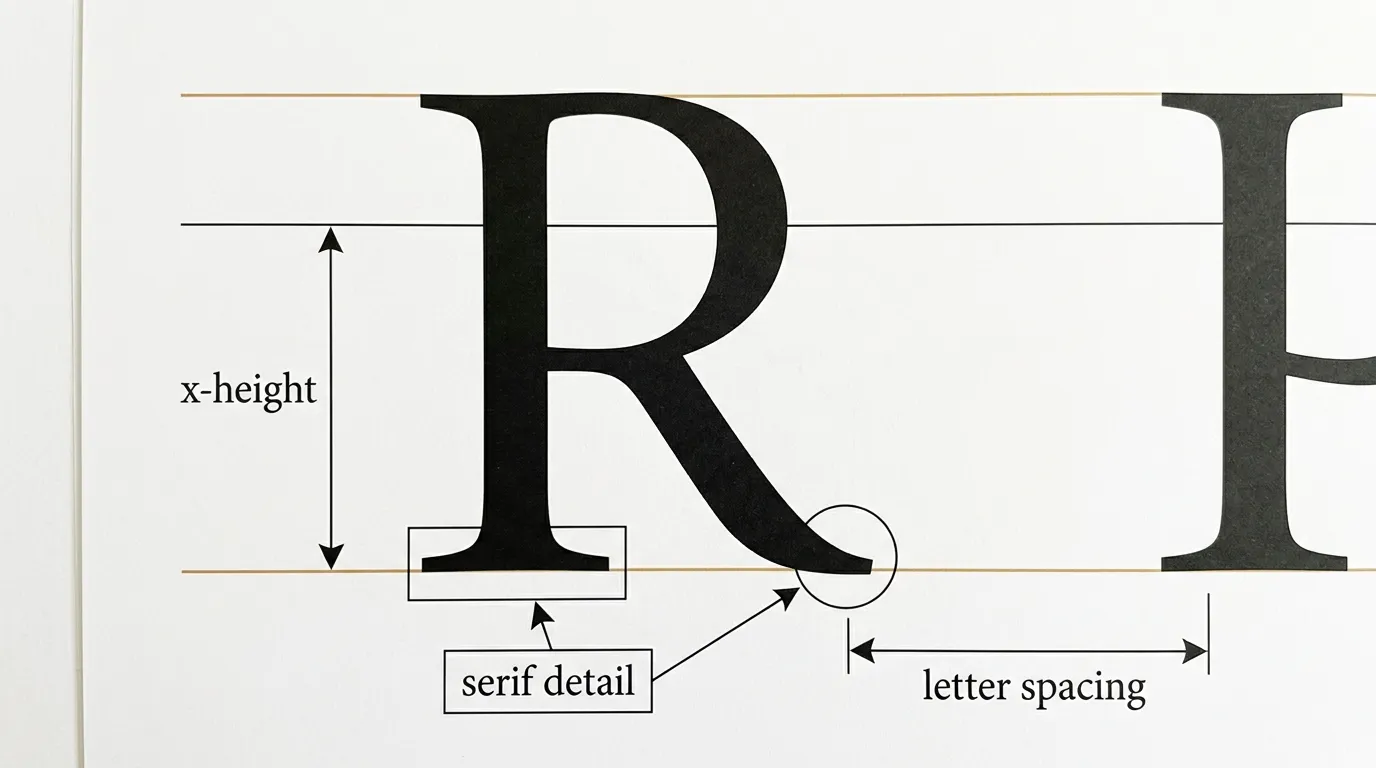
A type specimen is the reference sheet that shows a font’s full character set, weights, and proportions, and learning to read one properly is the fastest way to stop comparing fonts by gut feeling alone. Three measurements matter most: x-height, serif detail, and letter spacing.
X-height is the height of a font’s lowercase letters relative to its uppercase letters, and it has a bigger effect on legibility than most people expect. A font with a tall x-height reads as more open and readable at small sizes, since the lowercase letters, which make up most of any sentence, have more room to be distinct from each other. A font with a short x-height can look more elegant and traditional, but loses legibility faster as the text shrinks.
Serif detail refers to the small structural feet at the ends of strokes in a serif font, and their weight and shape set a font’s whole personality, from a delicate, high-contrast look to a sturdy, slab-like one. Letter spacing, sometimes shown on a specimen as tracking, determines how much air sits between characters, and a font that looks cramped in a specimen will only look more cramped once real sentences are set in it.
Reading a specimen this way, instead of just eyeballing one sample word, is what separates picking a font that “looks nice” from picking one that actually performs the way a project needs it to.
Font style examples compared by mood and weight

Fonts communicate mood before anyone reads a single word, and four broad directions cover most of what a project needs: formal, playful, modern, and vintage. Comparing these side by side, on the same sample word, makes the differences far more obvious than judging each font on its own.
Formal styles lean on classic serifs or restrained sans serifs, structured and understated, suited to anything that needs to feel established or trustworthy. Playful styles use rounded shapes, irregular weights, or a hand-drawn quality, suited to anything meant to feel approachable or fun rather than serious. Modern styles favor clean geometric sans serifs with minimal detail, suited to tech, minimalist branding, and anything that wants to feel current rather than traditional. Vintage styles draw on historical printing and lettering traditions, from engraved detail to old advertising type, suited to anything that wants to borrow warmth or nostalgia from an earlier era.
Weight adds a second dimension on top of mood. The same formal serif can read as delicate and refined at a light weight or authoritative and heavy at a bold weight, so once a mood is chosen, testing that font across its available weights is worth doing before settling on one.
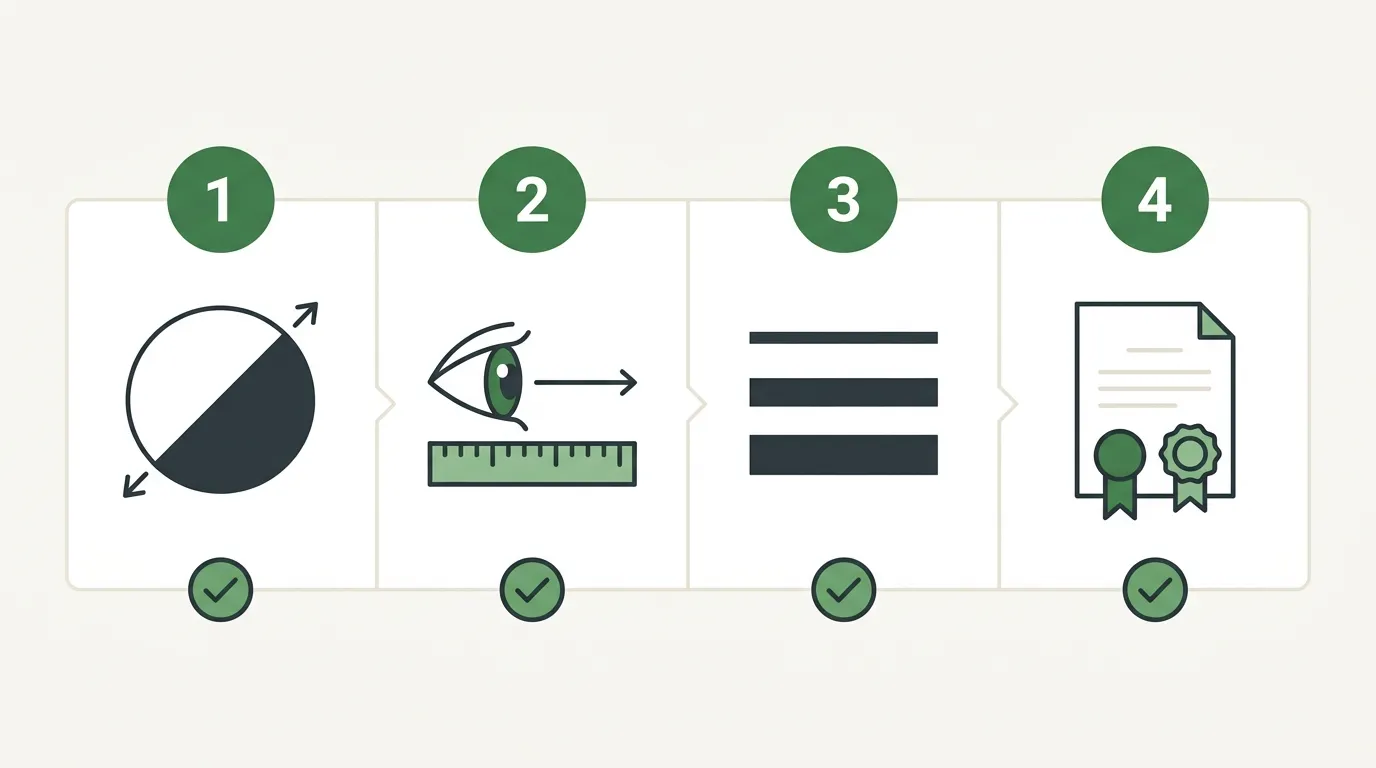
Run any display font candidate through these four checks before locking it into a poster, book cover, or logo.
- Check contrast
Confirm the display font stands apart from any body font it will sit next to in shape, weight, or width, not just size.
- Check distance legibility
View the design at the size and distance it will actually be read from, such as a poster across a room or a thumbnail-sized cover.
- Check available weights
Confirm the font family includes enough weights for real hierarchy, not just one heavy style with nothing lighter to pair against.
- Check the license
Confirm the font’s license actually covers your use case, especially for commercial work, before finalizing a design around it.

X-height is the height of a font’s lowercase letters relative to its uppercase letters. A taller x-height generally improves legibility at small sizes, since lowercase letters make up most running text and benefit from more visual room.
Test it at the actual size and distance it will be viewed from, a poster across a room or a cover as a small thumbnail, rather than judging it up close on a screen. Legibility often changes more than people expect once distance and scale enter the picture.
Different, usually. A display font needs to contrast with the body font it pairs with in shape, weight, or width, or the hierarchy between headline and body text breaks down.
Set the same sample word or phrase in each font candidate, side by side, rather than judging fonts one at a time from memory. Direct comparison makes mood and weight differences far more obvious.
Display fonts for typography ideas

Barbie Vintage
Playfully nostalgic display font for a retro touch.
View on Creative Fabrica
Retro Magic
Versatile, playful retro display font for cards and headlines.
View on Creative Fabrica
Funky Grunge
Vintage-style display font for logos, invitations and stationery.
View on Creative Fabrica


Lucky Retro
Rounded display type inspired by vintage signage.
View on Creative FabricaAffiliate links: we may earn a commission if you buy, at no extra cost to you.


