
If you are searching for abc fonts for kids, you probably have a specific page in mind: a worksheet for a kindergartner, a name-tracing sheet, or a poster that has to be read from the back of a classroom. The same font rarely does all three well. A worksheet font has to teach a child what a letter looks like and how it is built, while a poster font has to be seen from a distance and look friendly on a wall.
Affiliate Disclosure: If you buy through links on our site, we may earn a small affiliate commission to help support the blog – at no extra cost to you. It never influences our product selection process. Thank you!
- ABC and Printable Fonts for Kids: Worksheets, Tracing Sheets and Classroom Posters
- What kids’ letter shapes need
- Fonts that suit worksheets vs. fonts that suit posters
- Spacing, size and line height for early readers
- Printing tips
- Licensing for classroom and teacher-seller use
- Pick the font, then test it with a child
I would start with the letters, not the decoration. A cute font with an unusual g or a lowercase l that looks like a capital I can confuse a child who is still building letter recognition, and the child will not complain, they will just guess. Fonts built for beginners exist for this reason. This guide covers what kids’ letter shapes need, how worksheet fonts differ from poster fonts, a five-step tracing-sheet setup, and the spacing, printing and licensing details that tend to get skipped.
Nothing here is a handwriting curriculum. Schools teach letter formation in different ways, so check which style your classroom or your child’s school uses before you build anything. What follows is about choosing and setting type well.
Get the Printable Worksheet Font Checklist — free download.
Download ChecklistWhat kids’ letter shapes need
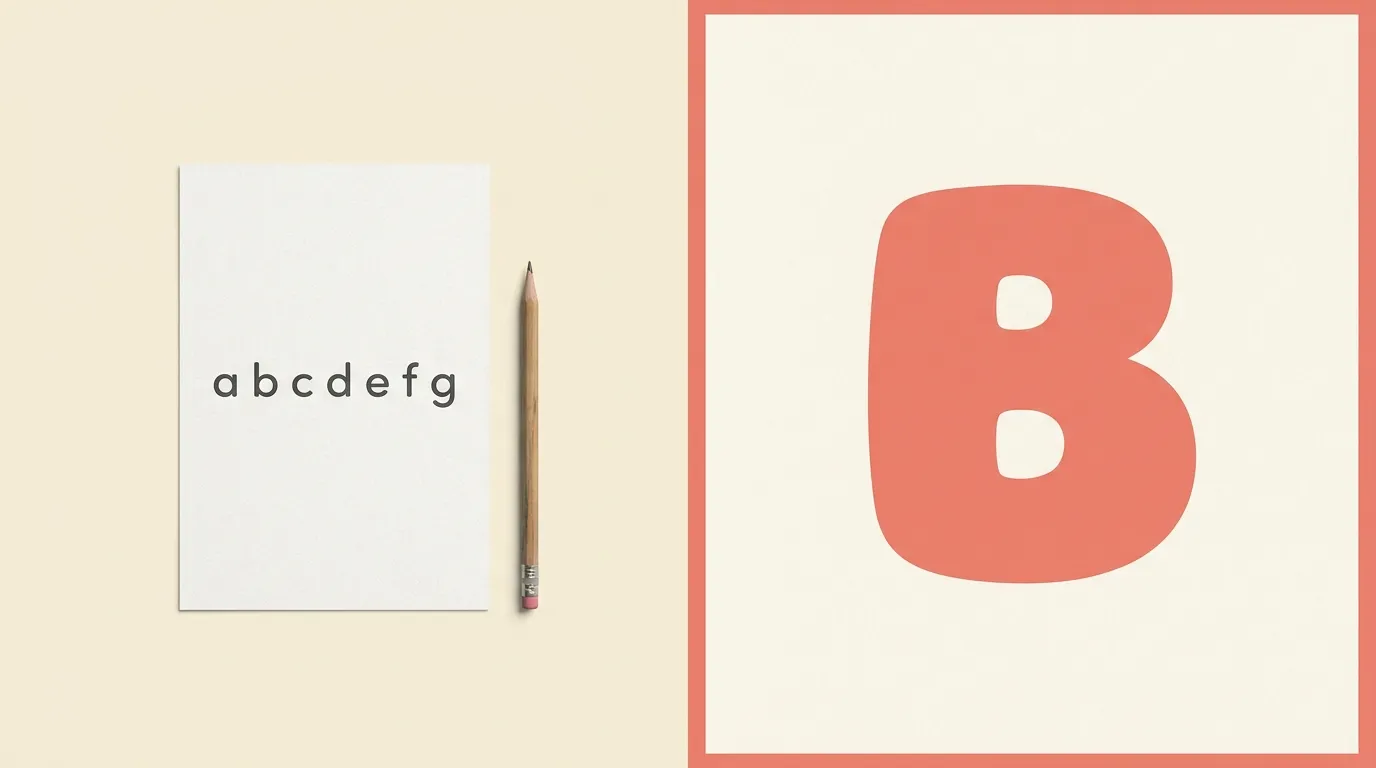
Children learning to read are matching what they see on the page to letters they are still learning to name. Anything that makes two letters look alike, or one letter look unlike the version on the classroom wall, adds friction. A few traits are worth checking in any font before you use it.
The first is single-story a and g. Many children are taught to write a with a round body and a stick, and g with a single loop and tail, so a font that shows the double-story versions can look like a different letter. Plenty of fonts offer one or the other, and some include both as alternates, so look at the specimen rather than assuming. If your school teaches the double-story forms, the opposite applies.
The second is telling confusable letters apart. Set a capital I, a lowercase l and a numeral 1 next to each other, then b, d, p and q. If the capital I and the lowercase l are the same plain stroke, the font will be harder for a beginner. A font with a small tail on the l, or serifs on the capital I, helps.
The third is open counters. The counter is the enclosed or partly enclosed space inside letters like a, e and o. Wide, open counters stay clear when a page is printed small or photocopied, while tight ones can fill in and start to look like blobs.
Finally, look at stroke contrast. Even-weight strokes look like the letters a child will draw with a crayon, while thick and thin strokes can look like a different kind of writing.

Fonts that suit worksheets vs. fonts that suit posters
Worksheets and posters ask different things from a font, so I treat them as two separate shortlists.
For worksheets and early reading pages, choose plain, steady letters. Andika is a sans serif that its designers describe as made especially for literacy use, with the needs of beginning readers in mind and letterforms that are not readily confused with one another. According to the Google Fonts repository it is published under the SIL Open Font License. Comic Neue is another option worth a look for informal worksheets. It is a reworking of Comic Sans, and the Google Fonts repository lists it under the same license. Always check the specimen for the a and g forms your classroom uses.
Handwriting-style fonts such as Patrick Hand give a worksheet a friendly, hand-lettered feel. They suit titles, labels and instructions better than the letters a child is meant to copy, because the quirks of someone’s handwriting are not a model for formation. Keep the letters a child will copy in the plainest font on the page.
For posters, the job changes. A poster is read from a distance by many children at once, so size, weight and color do most of the work. Fredoka, a big, round, bold face, is described in its Google Fonts entry as suited to headlines and large text, which fits a poster title, an alphabet banner or a classroom label. Pair a bold poster font with a plain one for smaller lines such as the example word under each letter, and keep it to two fonts. If you want a refresher on pairing, see the font pairing and hierarchy guide. For a full run through alphabet styles, the A to Z font style reference is a useful companion.
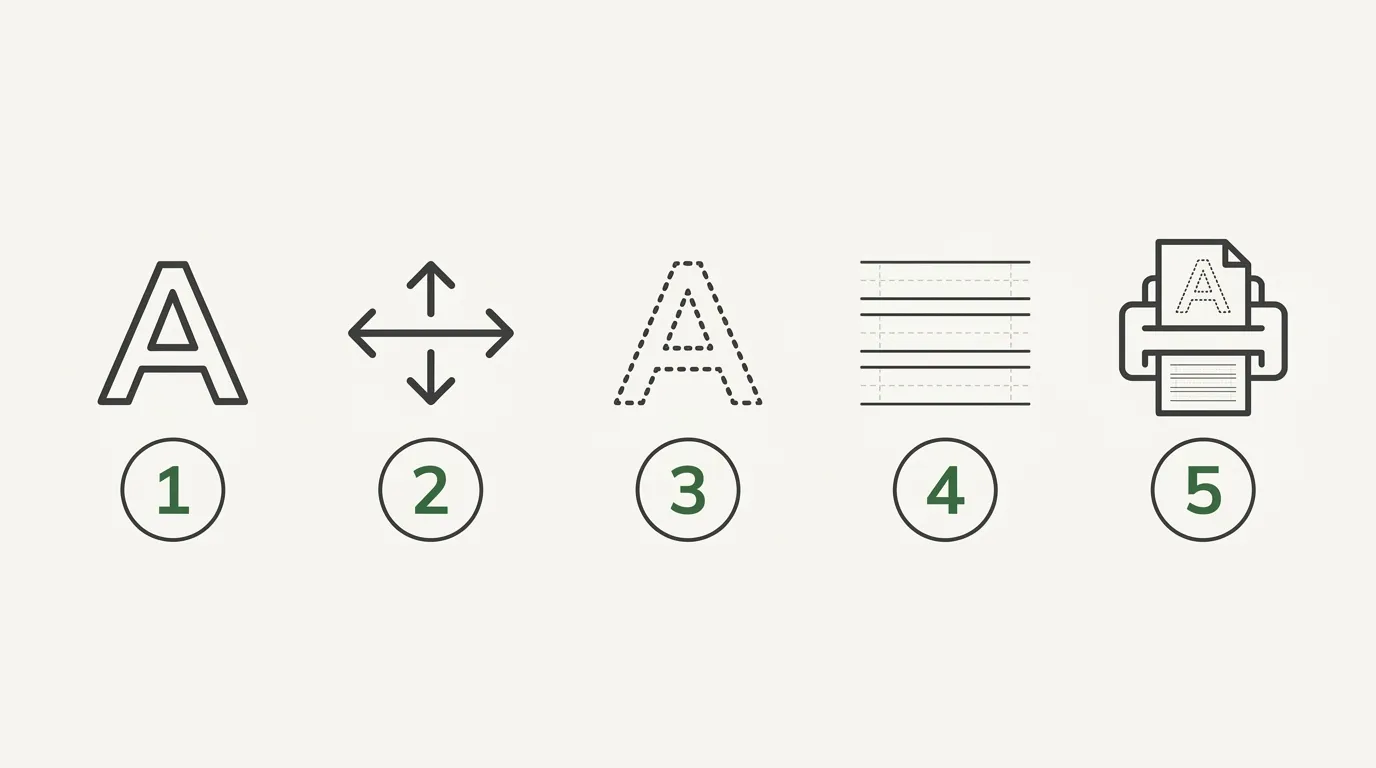
A tracing sheet is a page of light letters a child writes over. These five steps cover the setup in any editor that can change text color or add an outline.
- Choose a clear, simple letter font
Pick a font with plain, unambiguous letters and check the specimen for the letters your teaching method uses, such as a single-story a and g. Type the whole alphabet, upper and lower case, and look for any pair a child could confuse.
- Set the letters large
Start with letters around an inch and a half tall on a letter-size page and adjust from there. Young hands need space to move, so one letter or one short word per row beats a crowded page.
- Turn the letters into a guide
Change the text color to a light grey, or use an outline or dotted-outline setting if your editor has one, so the letters read as a path to follow and not as finished writing. Print one test copy to confirm a pencil line still stands out against it.
- Add writing lines
Place a baseline under every row of letters, and add a midline if you want to show letter height. Keep the lines evenly spaced and darker than the guide letters so the child can see where to sit each letter.
- Print a test copy and let a child try it
Print one page on the paper you plan to use and have a child trace a few letters. If the guide is too faint, the lines are too close or the letters are too small for a grip, fix that before you print a whole set.
Spacing, size and line height for early readers
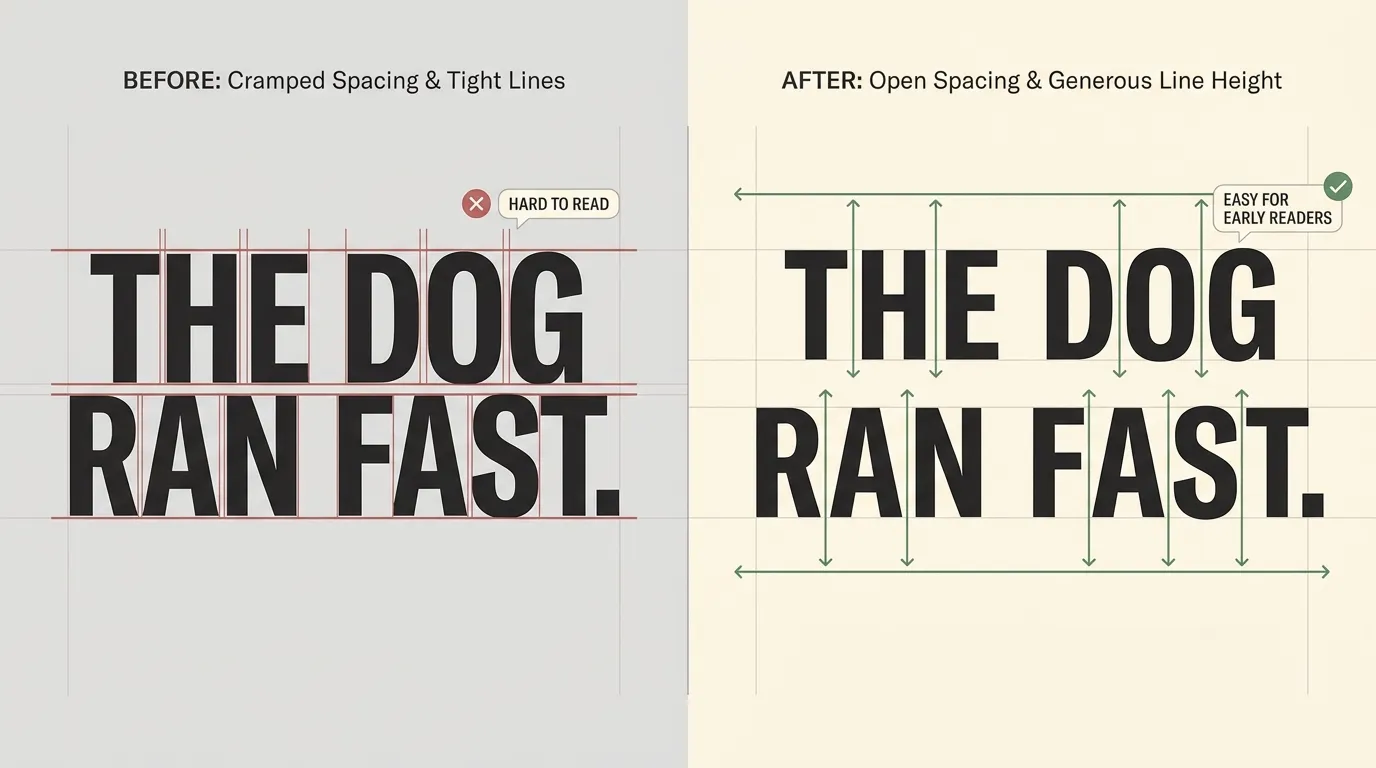
Early readers do better with more space than adults expect. Letters that sit close together are harder to separate, so open the letter spacing slightly. Most editors have a tracking or character spacing control, and a small increase is usually enough. Do not stretch it so far that a word falls apart into separate letters.
Word spacing matters more than it seems. A child reading a short sentence needs to see where one word ends, so leave a clear gap between words. On a worksheet with one word per line, this takes care of itself.
For size, bigger is usually safer on a page meant for small hands. If you are not sure where to start, set body text on a reading page larger than you would for an adult, then print a copy and look at it from the distance a child will hold it. Tracing letters need even more room, because the child is drawing with a thick pencil or crayon. The general logic of sizing for the final distance and medium is covered in the font size guide for print.
Line height, the vertical distance between lines of text, should be generous too. Tight lines make it easy to lose your place, which is a problem for a child following a sentence with a finger. Leave clear space between lines of reading text, and enough room between rows of tracing that a child’s hand does not smudge the row above.
Keep alignment simple. Left-aligned text with a ragged right edge is easier for a beginner to follow than justified text, which can create uneven gaps between words.
Printing tips
A well-set page can still print badly, so a short check pays off before you copy a class set.
Paper first. Plain copy paper works for most worksheets, but thin paper lets text show through from the back, and a child who presses hard with a pencil or marker can tear it. If the page will be used with markers or paint, a heavier sheet holds up better. Your printer’s manual will tell you the weights it can handle.
Contrast next. Black or very dark text on white is the safest choice for anything a child has to read. Light grey works for tracing guides, but print a test and check that the pencil line still stands out against it. Photocopiers tend to lighten grey, so a guide that looks fine from your printer can vanish on a copy.
Margins last. Many home and office printers cannot print right to the edge of the paper, so keep important content at least half an inch from every side. Poster text set too close to the edge is the first thing to get cut off. If you plan to hole-punch the page for a binder, leave extra room on the left.
Print one test page every time you change a font, a size or a color. It costs a sheet of paper and saves a whole stack.
Licensing for classroom and teacher-seller use
Using a font for a worksheet you print and hand to your own class is a different situation from selling worksheets online, and fonts are licensed differently for each. This is a plain-language overview, not legal advice, so read the license that came with your font.
Free for personal use does not automatically cover selling. Many free fonts allow personal projects but need a separate commercial license if you sell a product made with them. Teacher-sellers who list printables for sale are in the commercial category.
Check how the license treats the finished file. Some licenses allow you to use a font in a document you distribute as a flattened PDF or image, but not to hand over the font file itself. Others have different rules for embedding. The wording varies between fonts, so read it rather than assuming.
Fonts published under the SIL Open Font License, which the Google Fonts repository lists for Andika, Comic Neue, Patrick Hand and Fredoka, carry their own terms, and those terms are worth reading in full. The free fonts and commercial use guide walks through how to read a license before you rely on it.
Keep a record of where each font came from and which license applied when you downloaded it. If a font’s terms change later, you will know what you agreed to.
There is no single best, but a plain sans serif with distinct letters and the a and g shapes your school teaches is a safe place to start. Andika was designed for literacy use, so it is a reasonable first font to test. Print a sample and check that a child can tell similar letters apart.
Large. Around an inch and a half tall on a letter-size page is a sensible starting point for young children, then adjust for the child and the pencil or crayon they use. If a child’s lines keep running outside the letter, make it bigger rather than asking them to be more careful.
Only if the font’s license allows commercial use, and that depends on the font. Free to download does not always mean free to sell with. Read the license that came with the font, check how it treats PDFs and images, and keep a record of it. When the terms are unclear, ask the font’s author or choose a different font.
You can use a font designed with dotted outlines, or set a plain font in light grey so the child traces over it. Some editors also offer outline or dashed-outline settings for text. Whichever route you take, print a test and check that pencil marks still show clearly over the guide.
Pick the font, then test it with a child
Good abc fonts for kids come down to a short list of checks: letters a beginner cannot confuse, the a and g shapes your classroom teaches, generous size and spacing, and a license that fits what you plan to do with the page. Everything else is decoration, and decoration can wait.
A good habit is to pick two or three candidates, set the same row of letters in each, and print them on the paper you will actually use. Then put the page in front of a child, or at least hold it at arm’s length, and see which one reads without effort. The font that wins is rarely the prettiest one.
Download the checklist above if you want the whole routine on one page, and keep it next to your template. When you build the next worksheet, run the same few checks again, because a font that works for one page may not suit the next.


