If you want your youtube thumbnail fonts to survive on a phone, start with weight. Most people meet your video as a small rectangle in a feed, next to a title and a channel name, and any letter that needs more than a glance to recognise gets skipped. I would rather see three heavy words in a plain sans-serif than a clever script that nobody can parse at that size. Below you will find heavy display fonts from the FontCue catalog that suit thumbnails, outline and shadow settings that rescue text on busy frames, and the reason caption and subtitle fonts follow different rules from thumbnail fonts. Text length, safe placement, a small-size test and the licensing basics for monetised channels follow. Every font named here is a real listing in the catalog, and what I say about each one comes from its catalog page. I also treat the two jobs separately: a hook of three words and a line of speech are different problems. Captions get their own section because viewers spend minutes with them, not a glance. I give no exact pixel sizes or safe-zone measurements, because YouTube changes those and publishes them on its own help pages.
Affiliate Disclosure: If you buy through links on our site, we may earn a small affiliate commission to help support the blog – at no extra cost to you. It never influences our product selection process. Thank you!
- YouTube Thumbnail and Caption Fonts: What Stays Readable on a Phone
- What a thumbnail font has to do at phone size
- Heavy display fonts for thumbnails
- Outlines, shadows and color on busy frames
- Caption and subtitle fonts for video
- Text length, placement and safe zones
- Testing a thumbnail at small size
- Licensing fonts for monetised channels
- FAQ
- Picking youtube thumbnail fonts that hold up
Get the Free Display Fonts — free download.
Download FontsWhat a thumbnail font has to do at phone size
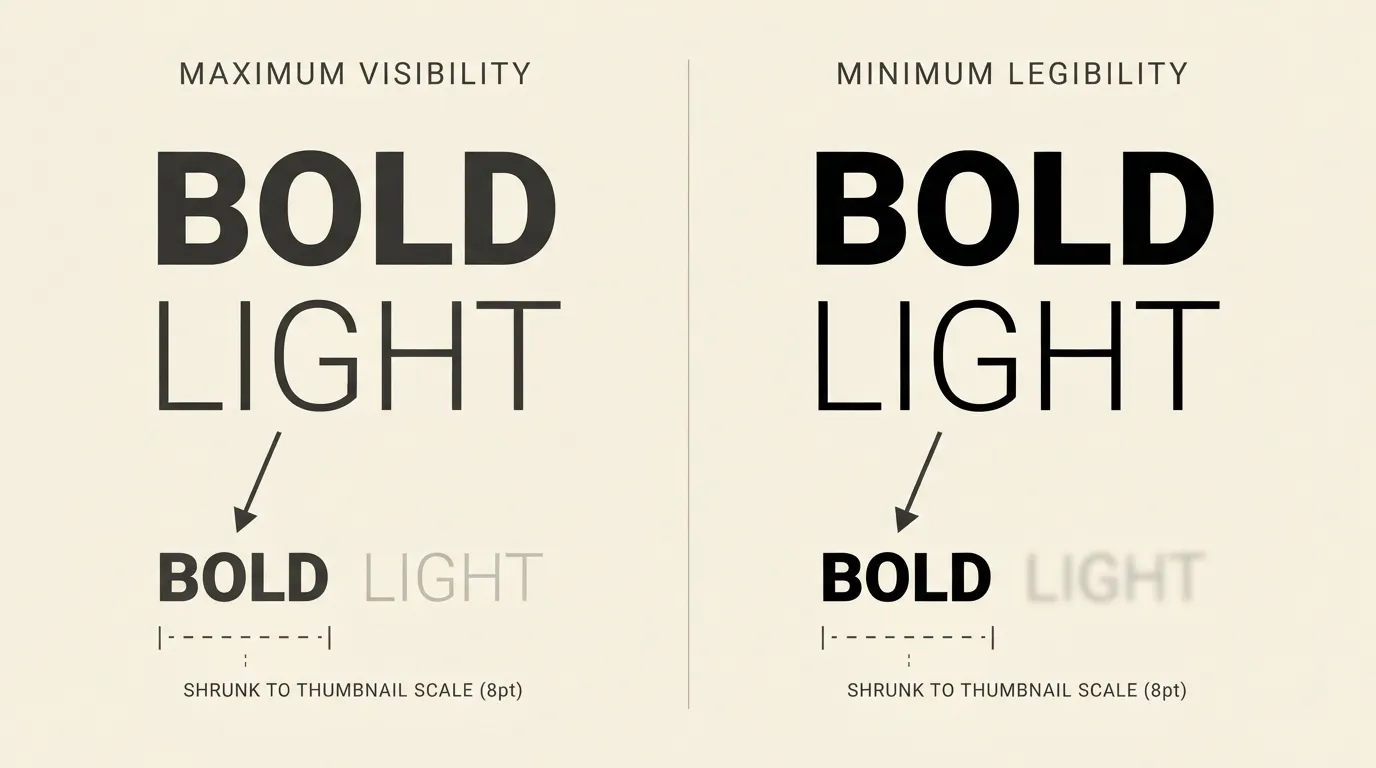
A thumbnail font has one job: be read in under a second, at a size smaller than your fingernail. Fine detail, thin strokes and tight counters (the closed spaces inside letters like a, e and 8) all fill in when an image is shrunk. What survives is stroke thickness, open letter shapes and strong contrast against whatever sits behind the text.
Weight matters most. A bold or black weight keeps its shape after downscaling, while a regular weight thins out into grey. Width comes next: condensed capitals fit more letters into the same space without lowering the size, which is why tall narrow display faces dominate this niche. Simple letterforms finish the job. A font with swashes, hairline serifs or heavy texture asks the viewer to do work, and in a feed nobody will.
Script fonts and ultra-light weights look elegant in a design tool at full zoom and vanish on a phone. All-lowercase text in a thin sans-serif reads as a whisper where the thumbnail needs a shout. A reliable default is capital letters in a heavy sans-serif, adjusted to the personality of your channel. A calm or editorial channel can use a heavy serif or a softer rounded sans, as long as the weight stays heavy.
Heavy display fonts for thumbnails
These are the display fonts I would try first. All are listed on FontCue with SIL Open Font License 1.1 terms and commercial use marked as allowed.
Bebas Neue is a condensed, all-caps display sans-serif that the catalog describes as a favorite for posters, titles and branding. It has 1 style, and the tall narrow capitals suit short hooks like “I QUIT” or “$0 BUDGET”. Anton is also a single-style display face, by Vernon Adams, with a similar condensed build. Archivo Black is wider, with 1 style, and suits thumbnails where one word has to fill a large area.
For more personality, Bungee is a one-style display font by David Jonathan Ross with a chunky, signage feel that fits gaming and street-style channels. Bangers has the loud comic-lettering energy of a reaction video or a challenge. Lilita One is rounder and friendlier, a better match for kids content and cooking. Oswald comes in 4 styles, so you can set a heavy headline and a lighter second line from one family. Sporting Grotesque has 2 styles, and its page calls it sturdy, with a compact, athletic rhythm.
Pick one and stay with it, so your thumbnails are easy to recognise in a feed. Our guide to poster fonts covers more headline styles if you want to compare.

Outlines, shadows and color on busy frames
Video frames are busy. A face, a product and a bright background can all sit behind the text, so even a heavy font loses its edges without help. Contrast fixes that.
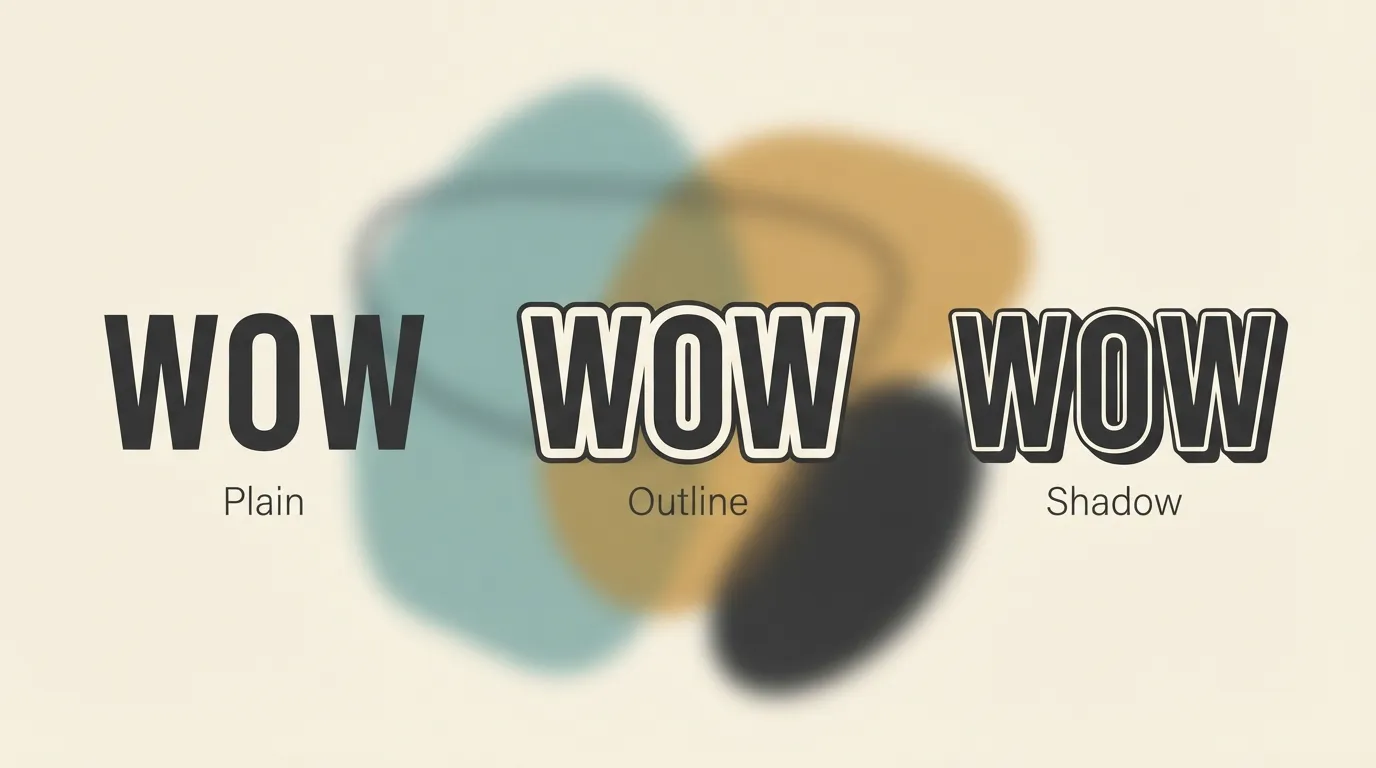
An outline is the strongest tool. Put a dark outline around light text, or a light outline around dark text, and make it thick enough to read from a distance. A thin outline that looks fine in the editor disappears in the thumbnail, so judge it at small size. A hard drop shadow offset down and to the right, with no blur, adds depth and separates letters from the image, while soft blurry shadows lose their effect at phone size. The third tool is a solid shape behind the text, such as a colored bar or a rounded box, which gives you control over contrast no matter what the picture does.
Color choice follows contrast, not taste. White or pale yellow on dark, and black or deep navy on light, give the widest gap. Avoid placing two mid-tone colors against each other, and avoid red on green or blue on purple, where the brightness is nearly equal. If a brand color has to appear, use it for the outline or the box and keep the letters light or dark.
One outline, one shadow and one accent color is enough. Our article on outline, 3D and shadow font effects shows how to build these effects in common tools.
Caption and subtitle fonts for video
Captions follow different rules. A thumbnail font is read once, in a glance. A caption is read again and again, in lines of different lengths, over footage that changes every few seconds. The loud condensed display faces that work on a thumbnail tire the eye in captions, so I would keep them for short bursts.
For captions you burn into the video in an editor, pick an even, open sans-serif in a medium to bold weight. Inter is a variable sans-serif designed for computer screens, with a tall x-height for legibility at small sizes, and its page lists 4 styles. Montserrat and Poppins each have 6 styles, which gives you a choice of weights. Open Sans is a neutral option, also with 6 styles. Two more worth testing for reading comfort are Lexend and Atkinson Hyperlegible, each with 4 styles. The Atkinson Hyperlegible page credits the Braille Institute among its designers, and I would try it wherever readability is the priority.
Support the text with a background. A dark outline works on most footage, but a semi-opaque box behind the line is the most reliable fix when the picture is bright or changing. Keep lines short, break them at natural phrases, and use sentence case rather than all capitals, which slow reading in longer lines. Closed captions that YouTube displays are styled by the viewer’s own settings, so the font choice here applies only to text you add into the video yourself.

Text length, placement and safe zones
Fewer words win. The eye lands on the thumbnail, then the title, so the text on the image should add one hook the title does not already say. A single word, a number or a phrase of three to five words is usually enough. If you are writing a full sentence, move it into the title.
Placement matters because parts of a thumbnail get covered. YouTube overlays the video duration on one corner of the image, and other interface elements can overlap edges on some screens. Keep key text away from the corners and edges, and clear of the main face or subject. I will not give pixel margins here. For the official dimensions and safe areas, read YouTube’s own help page and follow its numbers rather than anyone’s blog, including mine.
A few layout habits help more than any number. Put the text on one side and the subject on the other, so the two do not compete. Use no more than two lines. Make the most important word the largest, in the heaviest weight you have. If you use a second line, set it smaller in the same family instead of adding a second typeface. For related layout habits, our banner fonts guide covers headline composition for social graphics.

Testing a thumbnail at small size
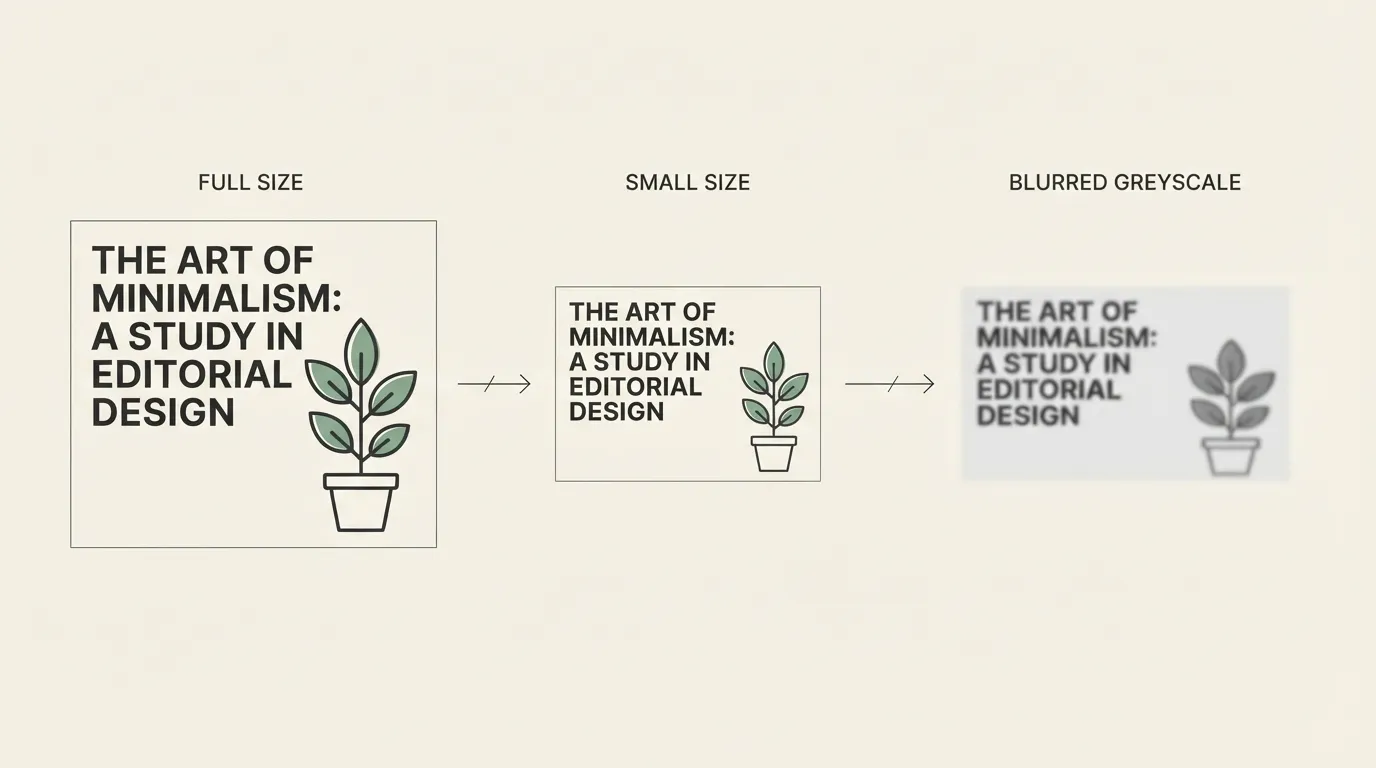
The test is cheap and catches most mistakes. Export the design and view it on your own phone, or shrink it in the editor, until it is about the size it will appear in a feed. Then look at it for one second. If you cannot read the words in that second, the font, the weight or the contrast needs to change.
After shrinking it, squint. Blurred eyes remove detail the way a low-resolution screen does, so the text that survives is the text that will work. Then view the design in greyscale. If the letters and the background turn into the same grey, color was doing all the work and your contrast is weaker than it looks.
Then compare against your own channel feed. Put the new thumbnail beside a few recent ones and check whether it matches in weight and style and whether it reads next to brighter neighbors. Judging it in context beats judging the file alone. If you plan to animate the same text, the text animation tutorial for Canva, CapCut and Alight Motion covers the basics.
Licensing fonts for monetised channels
A monetised channel is a commercial project, so the font licence matters. Every font linked in this article is listed on FontCue with SIL Open Font License 1.1 terms and commercial use marked as allowed on its page. Read the licence on each font page before you commit, because that page holds the exact terms. This is not legal advice.
Two cautions apply. The font licence covers the font, not the rest of your thumbnail: logos, stock photos, screenshots and music have their own rules. And a font from a random download site may not carry the same terms even when the name matches. Download from a source that shows the licence, and keep a copy of the licence file with your project.
Our guide to free fonts and commercial use explains what to check on any font page.
FAQ
There is no single best one, but the safe pattern is a heavy, condensed sans-serif in capitals, such as Bebas Neue, Anton or Archivo Black. Thin or high-contrast fonts disappear at phone size. Choose a weight that still reads when the thumbnail is shrunk to a small square, and add an outline or shadow for contrast.
Keep it to a few words, ideally three to five. The thumbnail is read in a glance next to the title, so the text should add one hook the title does not already say. If the idea needs a full sentence, move it into the video title and let the thumbnail carry a single word or number.
Usually not. Thumbnail fonts are loud and built for two or three words. Captions run for minutes, so they need an even, open sans-serif such as Inter, Lexend or Atkinson Hyperlegible, with a clear outline or a background box. Reusing the thumbnail font only makes sense if it stays comfortable over long lines.
Check the licence on each font page first. The fonts linked here are listed on FontCue with SIL Open Font License 1.1 terms and commercial use marked as allowed. Read the licence file for the exact terms, because it covers the font itself and not any logo, image or music you place alongside it.
Picking youtube thumbnail fonts that hold up
Decide the job before the font. If the text is a hook of three words, take a heavy condensed capital like Bebas Neue or Anton, give it a thick outline and test it at small size. If the text is a spoken line that runs for minutes, take an open sans-serif like Inter or Lexend, add a background box and keep the lines short. Use one thumbnail font across the channel and one caption font across your videos, and resist adding a third. Run the squint, small-size and greyscale checks on every upload, because the font only counts if the viewer can read it in the feed. Download a couple of heavy fonts from the display category, set your next title in each, and keep the one that still reads when you hold your phone at arm’s length.